

Two copies of the same printing can be in very different condition. TCG Actana therefore records condition on the individual copy you own, alongside its printing, language, finish, and quantity.
Actana uses the seven grades from MT to PO found on Cardmarket. The short descriptions below are only a starting point. Grading is a judgement, so check Cardmarket’s current condition guide whenever the distinction matters, especially before a sale.
The seven condition grades at a glance
| Code | Condition | Broad guide |
|---|---|---|
| MT | Mint | no visible wear or damage |
| NM | Near Mint | close to new, with no meaningful wear |
| EX | Excellent | light signs of handling or play |
| GD | Good | clear wear, while the card remains intact |
| LP | Light Played | pronounced wear or minor damage |
| PL | Played | heavy wear or damage |
| PO | Poor | severe damage |
Do not treat a card as Mint simply because it came straight from a pack. Edge damage or another visible flaw can already be present. When you are unsure between two grades, the more conservative choice keeps your records easier to trust.
Inspect the physical card, not only its scan
Remove the card from a reflective sleeve and look at the front and back under even light. Tilting it slightly can reveal marks that disappear in a straight-on view.
Check these areas in turn:
- Corners: Look for rounding, whitening, or small bends.
- Edges: Check for chips, pale marks, and splits.
- Surface: Look for scratches, dents, clouding, dirt, or pressure marks.
- Back: Damage often stands out more clearly against a dark card back.
- Shape: Check whether the card lies flat or has a lasting bend or crease.
Centring and printing quality may affect the price, but they are not automatically signs of wear. That distinction is another reason to use the marketplace’s full guidance for a sale.
Why Actana leaves the grade to you
Actana can help identify the card and printing, but a front image cannot show every mark on the physical copy. It cannot reliably judge the back, a shallow dent, or how the surface catches the light.
You choose the condition in the current batch and check it before export. Finish is also a manual choice based on the physical copy.
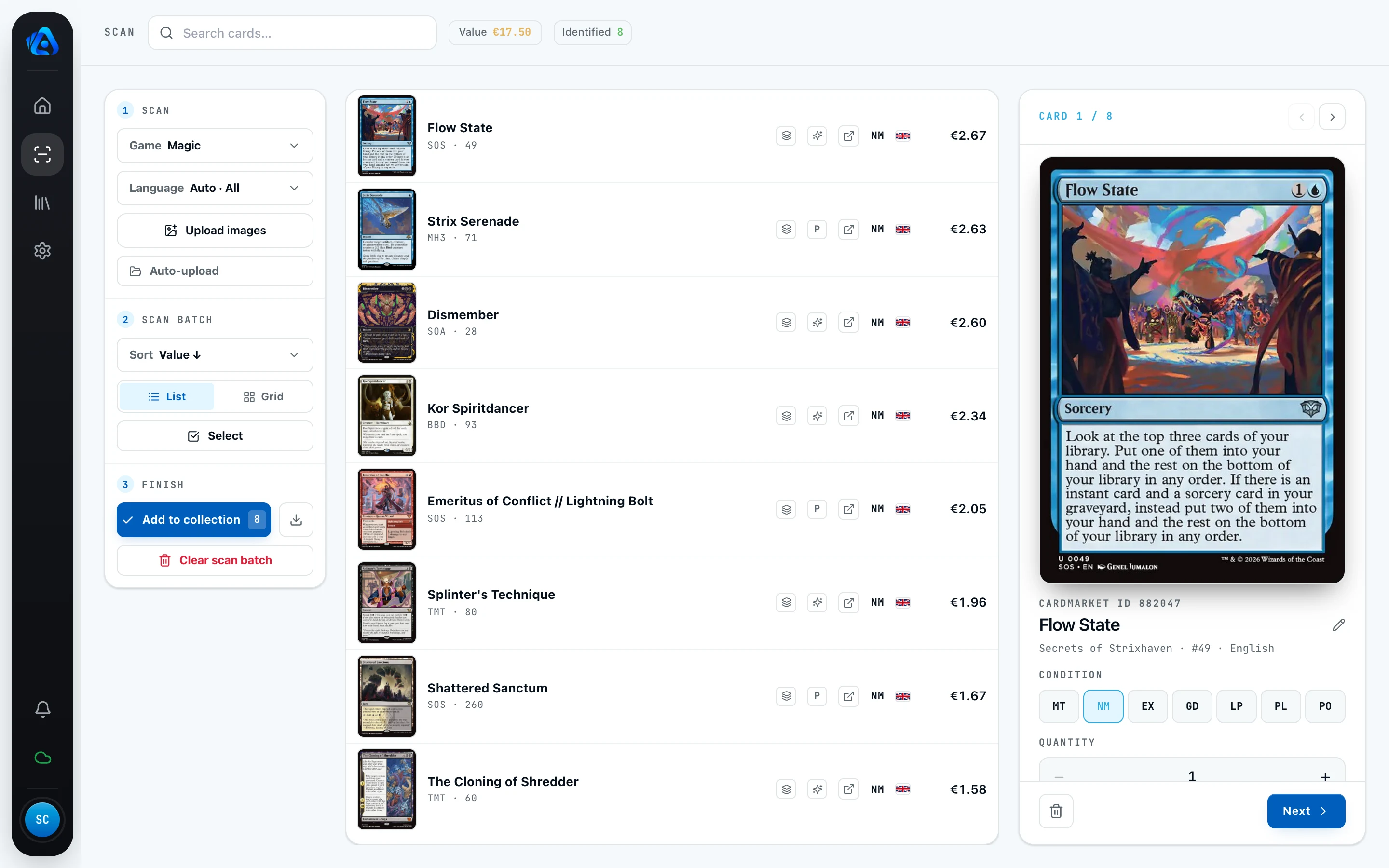
Check condition consistently before export
Treat the condition grade as part of the export data. Use the same standard across the batch and recheck valuable or borderline cards in hand. If your assessment changes, correct the row before creating the CSV.
Condition affects what your copy may achieve on the market, but it does not replace your own price check. Review the exported details and the final price again in TCG PowerTools. The TCG PowerTools export guide covers that handoff.