

For anyone who sells cards in larger quantities.
Stop typing in cards one at a time.
Scan your cards in batches. Actana suggests the card, printing and language for every scan, and the batch leaves as a ready-to-import CSV or goes straight to your connected channels.
Identifies Pokémon, Magic, One Piece, and Riftbound cards.
No credit card. 250 test cards once per account, then Unlimited for €14.90 a month.
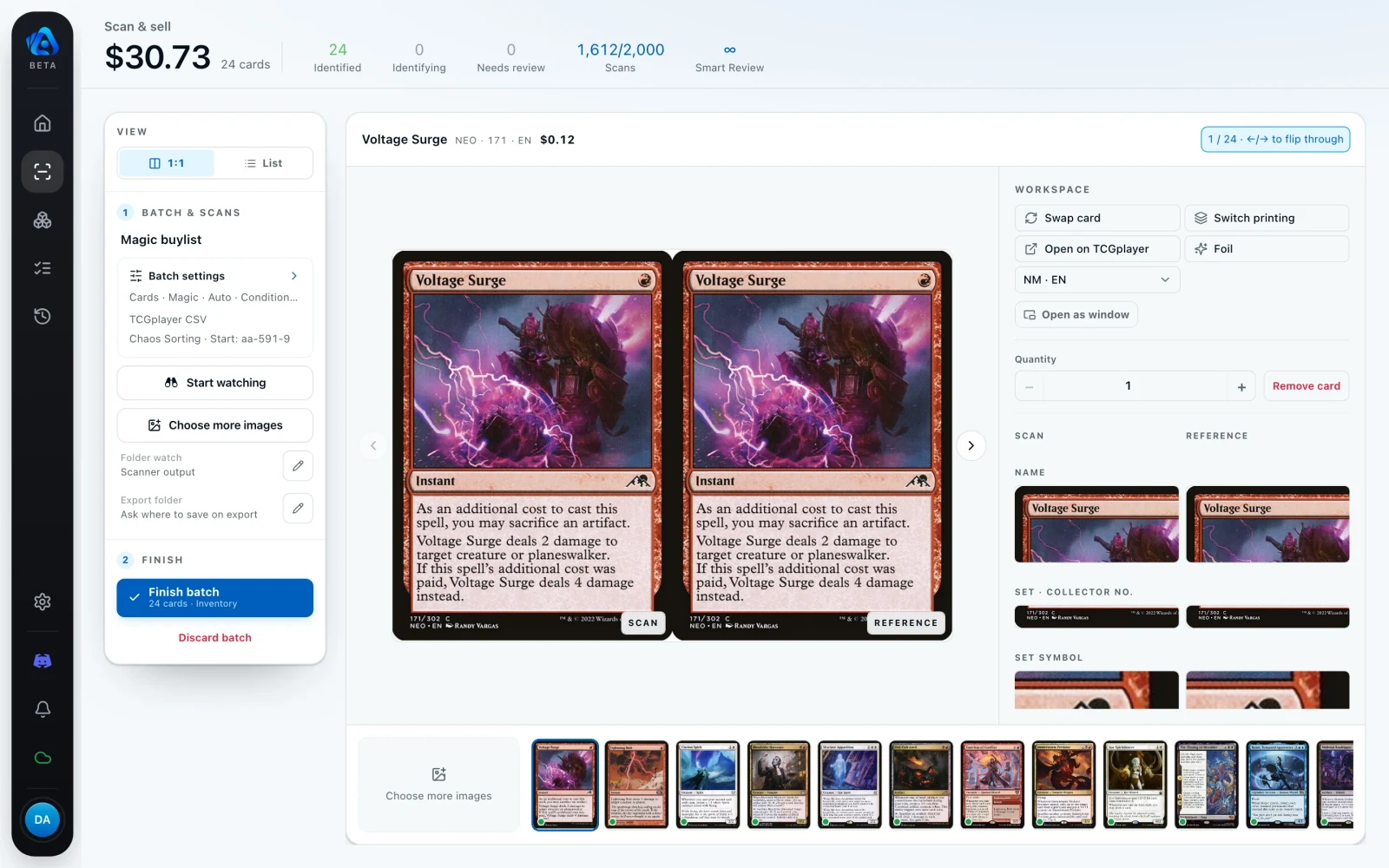
Actana takes your batch to a finished file. What goes live stays your call: import the CSV on your marketplace, or hand the batch to your connected channels.
Your channels
One batch. Every marketplace.
Scan, review, finish. Your batch flows to wherever you sell: as a ready-to-import file or as direct listings.
 Your batch
 Experimental


Direct channels are part of Inventory+ and currently available by request. They are not included in the plans. The TCGplayer export is experimental.
From batch to finished file.
You only touch the cards that need you. Everything else runs from image to export file on its own.
- Capture
Your scans land in the batch automatically.
Every image that lands in that folder joins the batch by itself. Drag and drop works as well.

- Review
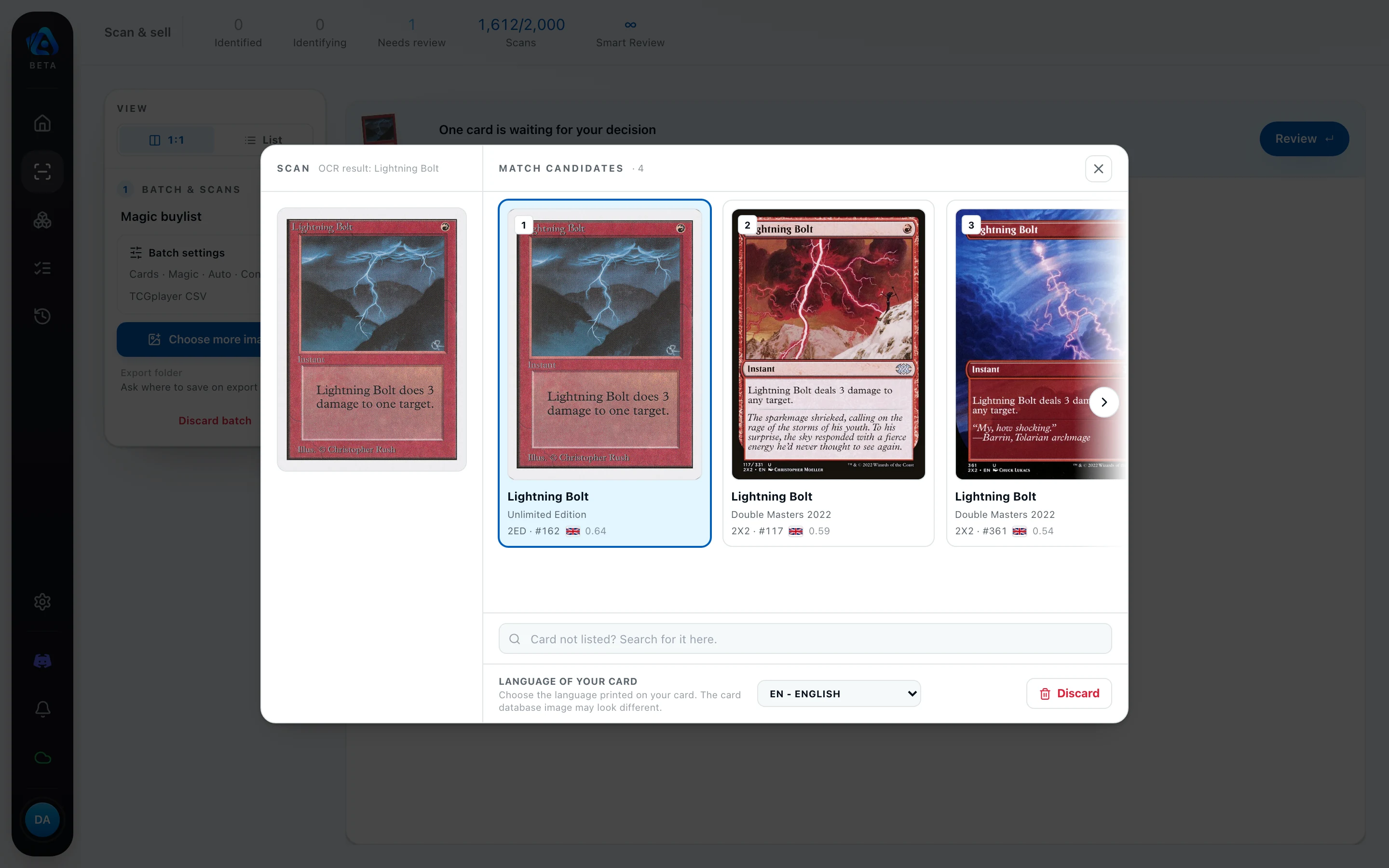
You only decide what Actana is unsure about.
Unambiguous cards pass straight through. The rest queue up, and the next one opens automatically after each decision.
- Export
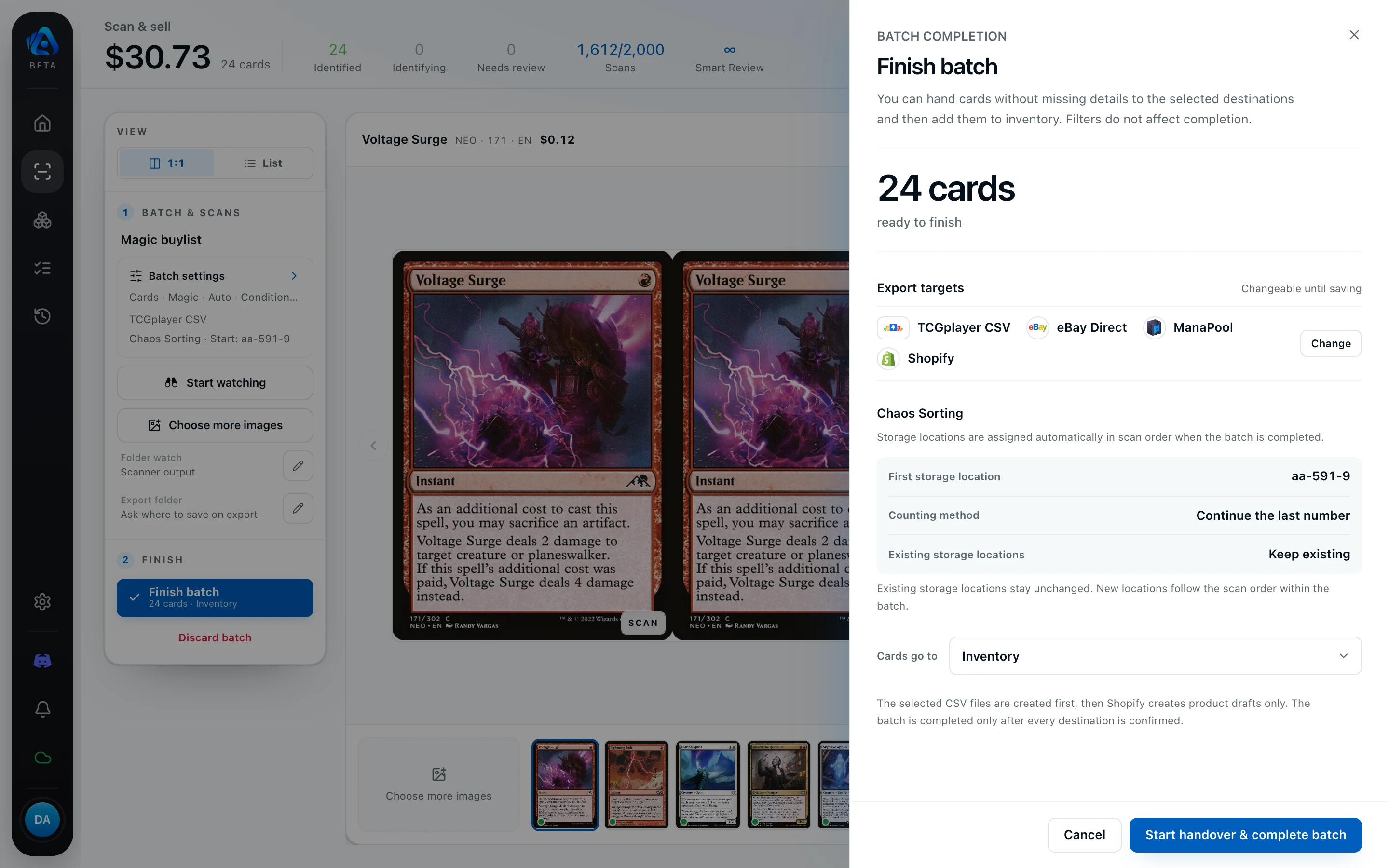
A finished file, ready to import.
Actana writes the format your destination expects. Chaos Sorting can assign storage slots along the way, picking up where the last export stopped.
You always see what went out.
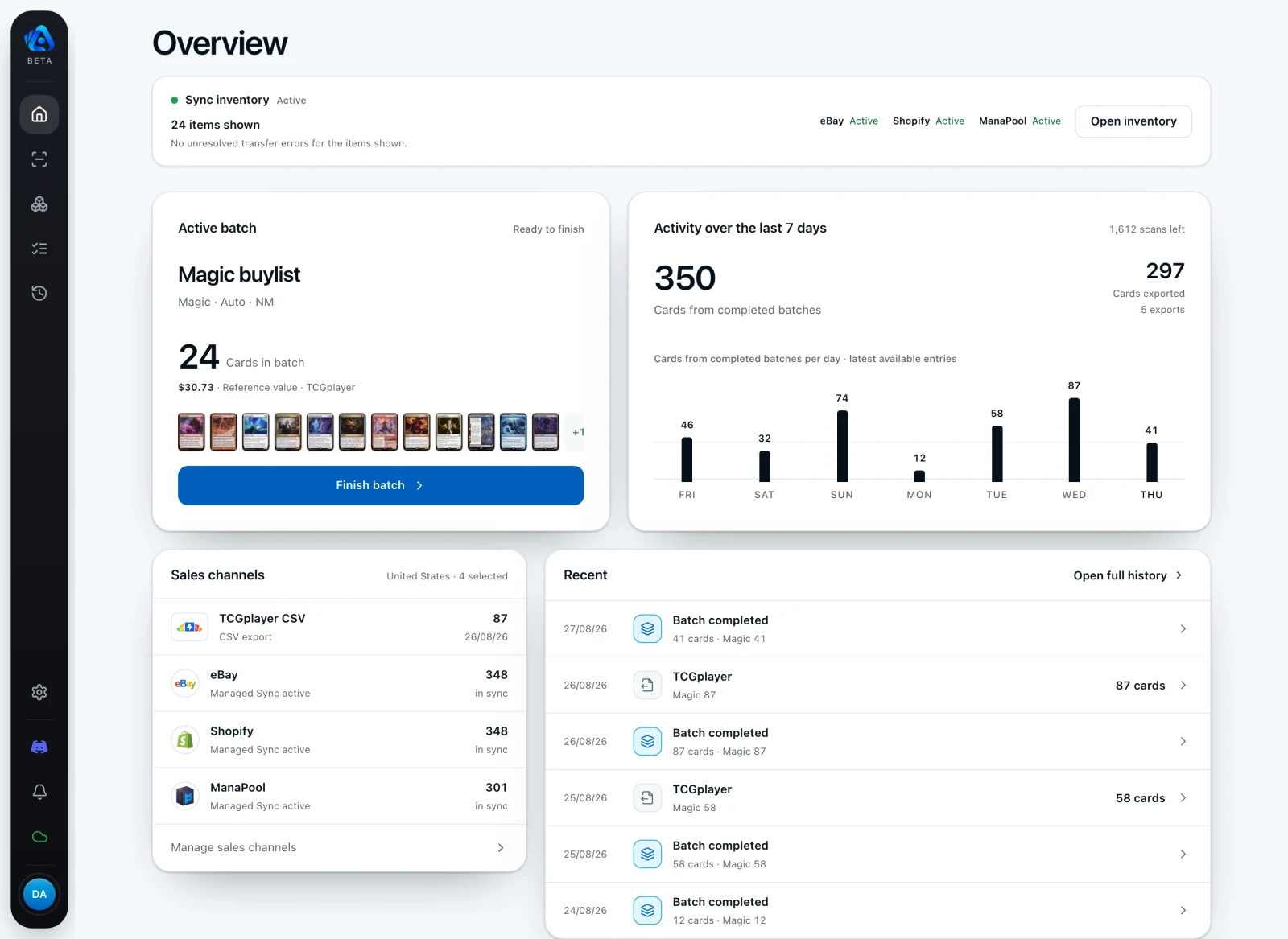
The overview keeps your active batch, the week’s activity and your sales channels in one place. The history records when a batch went out and which cards were in it, so everything stays accountable weeks later.
cardmarketId,quantity,name,set,condition,language,isSigned,price,finishType,buyPrice,commentWhat happens after the export.
Your batch leaves as a ready-to-import file or goes straight to your connected channels. Prices, offers and the moment you publish stay under your control. Nothing goes live without you.
How the TCG PowerTools export worksOne plan. Unlimited scanning.
Unlimited includes every feature, every game and every export, with no card cap. Cancel monthly.
Unlimited
€14.90/month
Unlimited cards
250 test cards first, once, no credit card.
- Unlimited scanning, no card cap
- Every game: Magic, Pokémon, One Piece, Riftbound
- Every export: TCG PowerTools, TCGplayer, CSV, direct channels by request
- Cancel monthly, no minimum term
How test cards are counted
During the test phase only a card the app recognizes automatically counts. Cards you assign yourself in review, failed attempts, edits, and exports do not count. On Unlimited nothing is counted. Prices are final; taxes applicable to your location and business status are shown at checkout.
Download TCG Actana for desktop.
Choose the installer for your computer and create your account in the app.
Registration and sign-in take place in the desktop app with email and password. You confirm your email address afterwards.
Every account receives 250 test cards once. After that, new scans require Unlimited for €14.90 a month. Bugs and necessary resets may occur during the beta.
Official TCG Actana installer served through tcgactana.com. No ads or third-party trackers.
Why might my system show a warning?
The Windows build is not yet code-signed, so Windows may show a notice during installation (details by the download). The macOS version is signed and notarized; macOS may still show its standard internet-download notice the first time you open it.
Frequently asked questions.
How do I get started with TCG Actana?
Download the installer for your computer and open the desktop app. Create your account with an email address and password, then confirm your email address.
Which games does the scanner support?
Magic: The Gathering, Pokémon, One Piece, and Riftbound. Pokémon and One Piece run as beta and may require more manual review.
Which card languages are supported?
Magic supports English, German, French, and Japanese. Pokémon supports English, German, and Japanese; One Piece and Riftbound currently support English.
Do I need a dedicated card scanner?
No. You can import image files from a flatbed or document scanner, as well as suitable card photos. You review uncertain results before export.
How much does TCG Actana cost?
You start with 250 test cards once. After that, Unlimited costs €14.90 a month: unlimited scanning, every game, every export, cancel monthly.
What happens to previous alpha users?
Previous alpha users also receive 250 test cards once when moving to the beta. After that, new scans require Unlimited.
Where can I use TCG Actana?
TCG Actana runs on 64-bit Windows 10 and 11, and Apple silicon Macs running macOS 11 or later.
Which export workflows are available?
The TCGplayer export writes one ready-to-import listing file. For Cardmarket sellers there are separate TCG PowerTools files per game. Actana does not publish listings to a marketplace automatically.
Does Actana replace my inventory management software?
No. Actana prepares card batches for sale and exports them. Orders, stock, and accounting stay in the systems you already use.
Do I need to add cards to inventory before exporting?
No. You can export a reviewed batch directly. Inventory is only for cards you also want to manage in Actana or export again later.
Where is my data stored?
Application servers and the database are in Germany. There are no ads or third-party trackers. You can export your card data and delete your account in the app. Read the privacy policy.
Free tools for your CSV files.
Convert ManaBox exports or assign storage locations. Use them in your browser without an account.
From the Actana blog
Capture cards cleanly and export them.
Practical guides to card images, printings, condition, and exports.
View all articles