Scan Magic cards in bulk, right on your desktop
TCG Actana is a desktop app for Windows and Apple Silicon Macs. You import scans or suitable photos, and Actana suggests the card and printing. Uncertain results stay open for review. You set condition and finish yourself, then export the completed batch directly as a CSV for TCG PowerTools.
Beta with 250 test cards once. Create your account directly in the app.
Getting images into the app
TCG Actana deliberately has no live camera. It works with image files, and it takes plenty of them at once:
Choose files
Pick images through a file dialog, one or many.
Drag and drop
Drop scans or photos straight onto the pile.
Folder watching
Connect your scanner's output folder. Image files saved there afterwards are picked up automatically.
Review the results
Check the suggested printing against the physical card before exporting the batch.
For a full walkthrough from a scan folder or card photo to a reviewed CSV export, readHow to scan Magic cards in bulk.
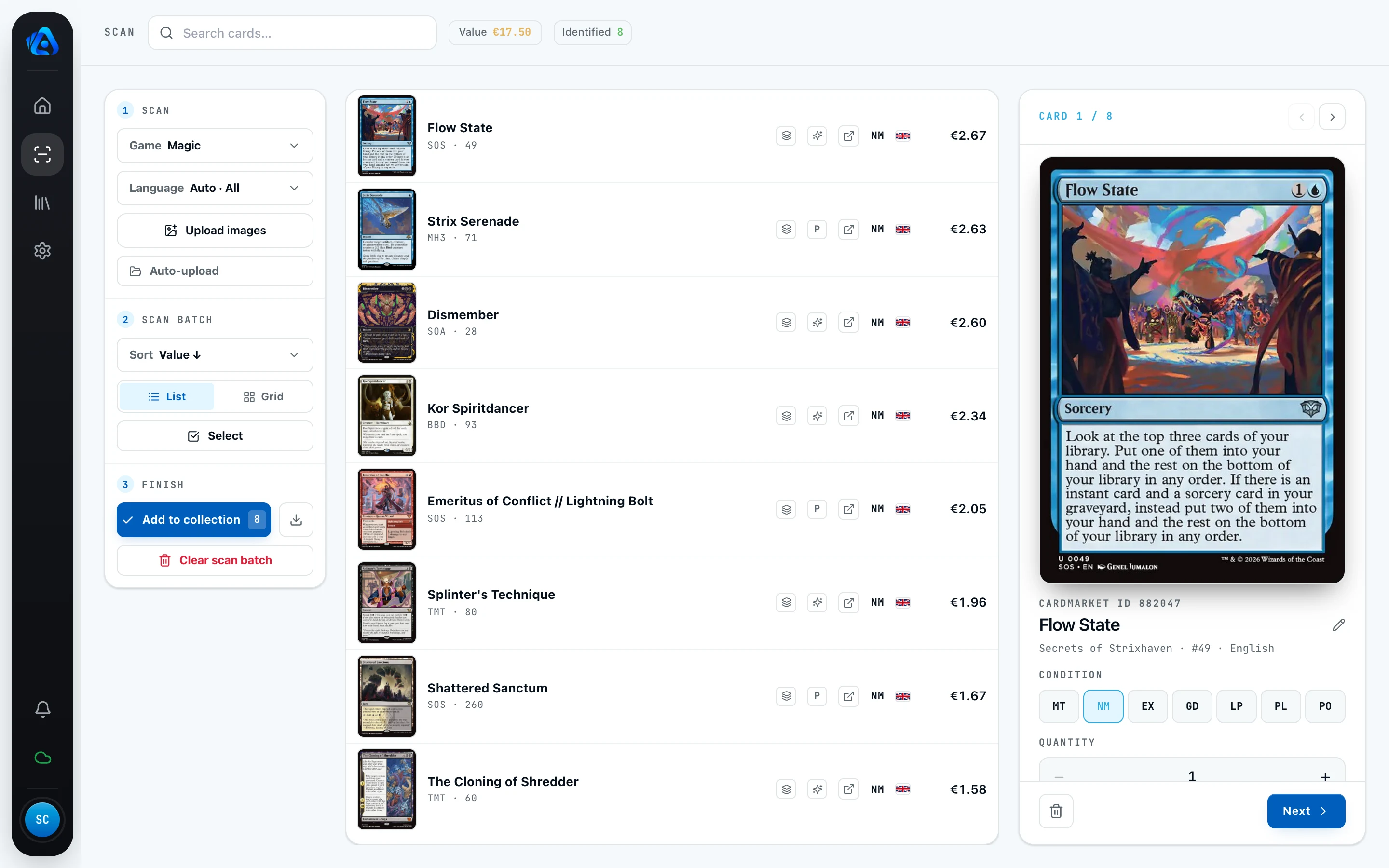
A suggestion with a clear review path
After import, Actana suggests a card and printing for each image. You see the result in the batch and can check it before export.
Uncertain or ambiguous results do not pass through silently. They stay open in the review view until you have checked and confirmed the suggested card and printing against the physical card.
More than a name on a list
Before export, you check the suggested printing and add the details for your physical copy. You deliberately set condition and finish yourself.
The physical card remains the deciding reference. This keeps an unchecked finish out of the completed CSV.
Inventory is optional
You can export a reviewed batch directly from the scan view. Adding those cards to Actana inventory is optional. Use it only when you also want to keep, search, filter, or export the recorded cards again later. Where market data is available, Actana shows a reference value.
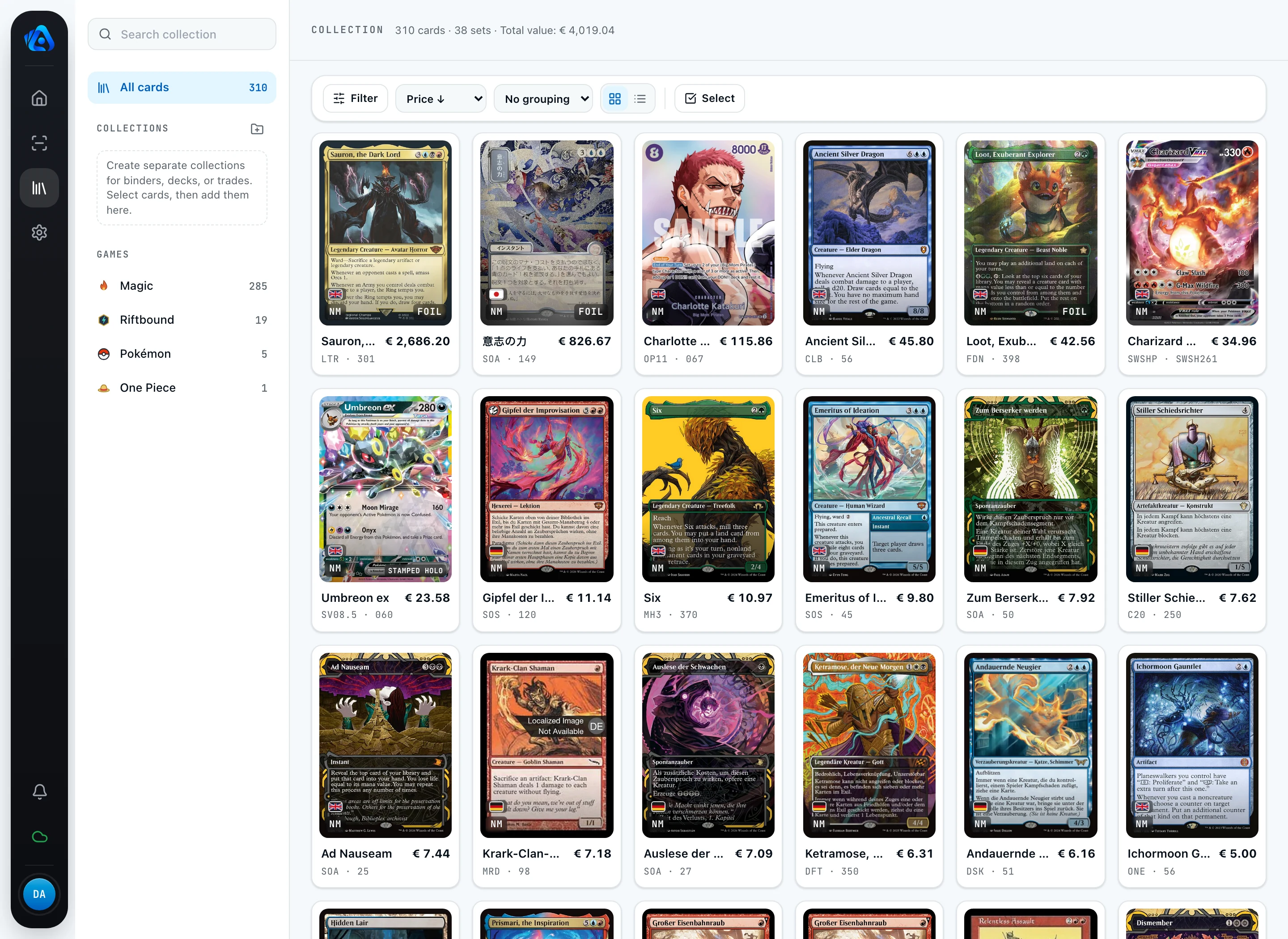
From the reviewed batch to TCG PowerTools
TCG Actana exports the reviewed batch as a CSV in the TCG PowerTools import format, with one file per game represented in the export. You do not need to add the cards to inventory first. The file contains your reviewed card details and is ready for the next import. You then run the import in TCG PowerTools, followingtheir own CSV import guide; Actana never uploads anything to Cardmarket itself.
The TCG PowerTools CSV page breaks the format down in detail. A separate TCGplayer export in US dollars is still experimental.
Frequently asked questions
- Which computers does TCG Actana run on?
- Windows PCs (x64) and Macs with Apple Silicon. Intel Macs and Linux are currently not supported.
- Do I need a card scanner?
- No. TCG Actana also handles suitable photos. Add scans and photos through the file picker, drag and drop, or a watched folder. Once enabled, folder watching picks up newly added supported image files; import files already in the folder through the file picker or drag and drop.
- Does it recognize the exact printing of a Magic card?
- Actana suggests a card and printing. Uncertain or ambiguous results stay open until you have checked and confirmed them against the physical card.
- Does the app detect foils automatically?
- No. You set the finish yourself before export and check it against the physical card.
- How much does TCG Actana cost?
- You start with 250 test cards once. After that, Unlimited costs €14.90 a month with no card cap. You create your account in the desktop app.
- Can I export the current batch directly?
- Yes. The TCG PowerTools preset exports the reviewed batch without requiring you to add it to inventory first. Actana creates one file per game represented in the export. A separate TCGplayer export is still experimental.
Ready for your first stack?
Grab the desktop app for Windows or Mac and run your first scan folder through it. The beta starts with 250 test cards once. Create your account in the app with an email address and password, then confirm your email address.
Download the desktop app