Actana for sellers
Prepare card batches for your Cardmarket workflow.
Import images, review printing, condition, language, finish and quantity, then export a CSV for TCG PowerTools. You publish the listings there yourself.
The public alpha currently costs €0 and runs on Windows and Apple silicon Macs.
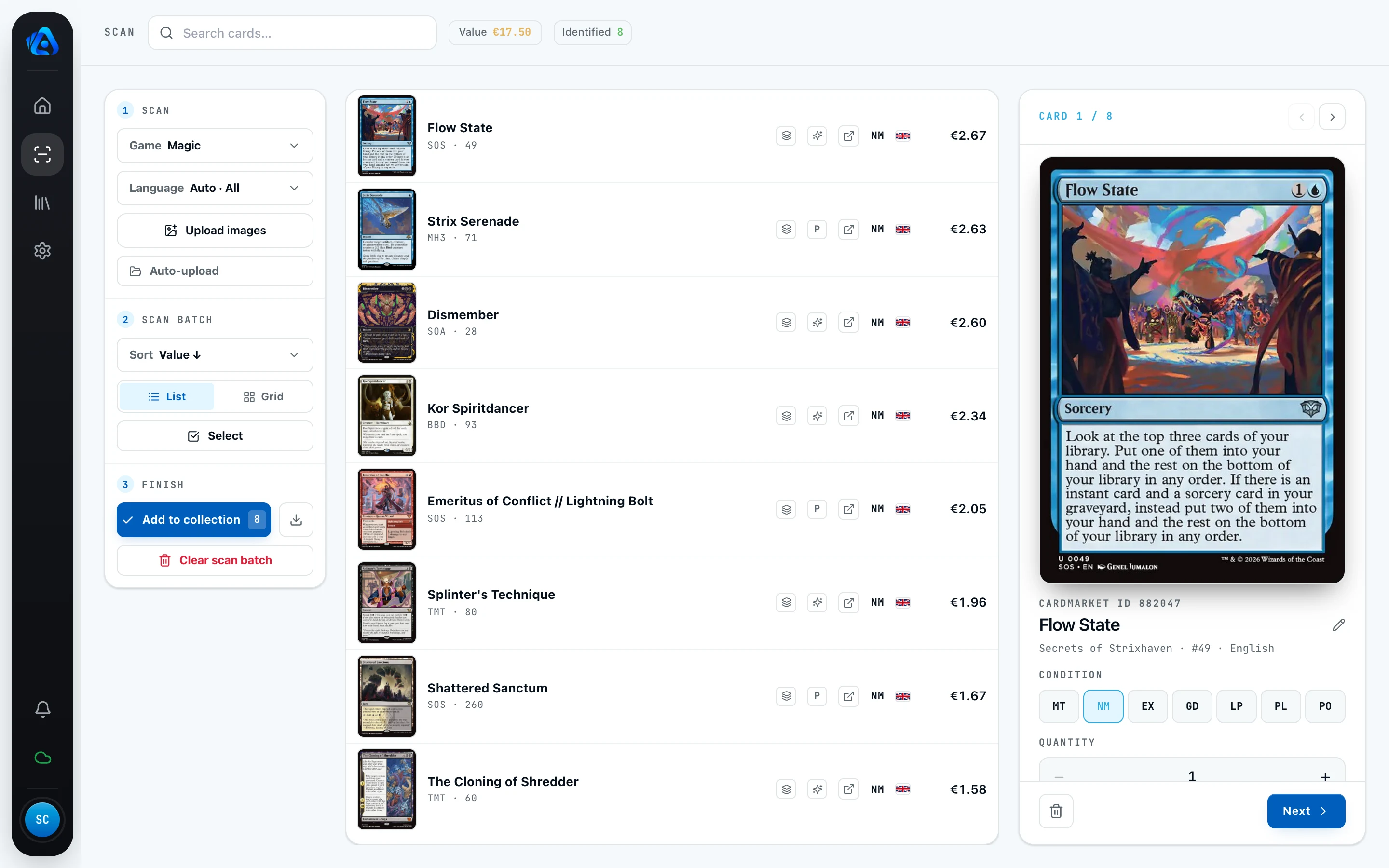
How your PowerTools CSV comes together.
Actana suggests the card and printing. You review ambiguous matches and the copy details before export.
- 01
Bring in card images
Choose files, drop them into the app, or watch the output folder used by your scanner software.
- 02
Review card and printing
Ambiguous matches stay open until you confirm the correct printing.
- 03
Review copy details
Review condition, language, finish, and quantity.
- 04
Export by game
Actana creates a separate PowerTools CSV for each game in the batch.
Review these details before export.
A card name alone is not enough for the PowerTools CSV. Review the printing, condition, language, finish, and quantity of each copy.
- Printing
- Set, collector number, and variant where available
- Copy
- Condition, language, finish, and quantity
- File
- Cardmarket ID where available, plus a separate CSV per game
The Actana workflow ends with the PowerTools CSV.
Actana does not upload listings to Cardmarket. You import the CSV into TCG PowerTools and review prices and listings there before publishing.
├─ magic.csv
├─ pokemon.csv
└─ one-piece.csv
Questions about the seller workflow.
Do I need a particular scanner?
No. Actana accepts images through file selection, drag and drop, or a watched scanner folder.
Does Actana publish my cards to Cardmarket?
No. Actana creates the CSV. You control the import and your listings in TCG PowerTools.
Which details are included in the export?
The export includes the Cardmarket ID where available, quantity, condition, language, and finish. You can add a storage location as an optional field.
Is the alpha intended for live store operations?
No. It is unfinished test software and does not replace an inventory management system. Errors and necessary resets may occur.
Download TCG Actana for desktop.
The current alpha is focused on sellers. Choose the installer for your computer and create your account in the app.
Registration and sign-in take place in the desktop app. After registering, confirm your email address.
The alpha currently costs €0. It is not a purchase or subscription and does not promise permanently free access. Bugs and necessary account resets may occur.
Official TCG Actana installer served through tcgactana.com. No ads or third-party trackers.
Why might my system show a warning?
The Windows build is not yet code-signed, so Windows may show a notice during installation (details by the download). The macOS version is signed and notarized; macOS may still show its standard internet-download notice the first time you open it.